We are not going to stop here to explain what AI automation is or how it differs from traditional RPA — we covered that in our post on AI process automation. What we are bringing today are concrete cases: five automations that are easy to implement, with measurable impact, organised around the three functions where they are generating the greatest return.
Spoiler: None of these cases is pure marketing. If you think AI is only useful for generating copy or images, this post will change your perspective.
Marketing: less operations, more strategy
Case 1: Social Media Calendar - Planner
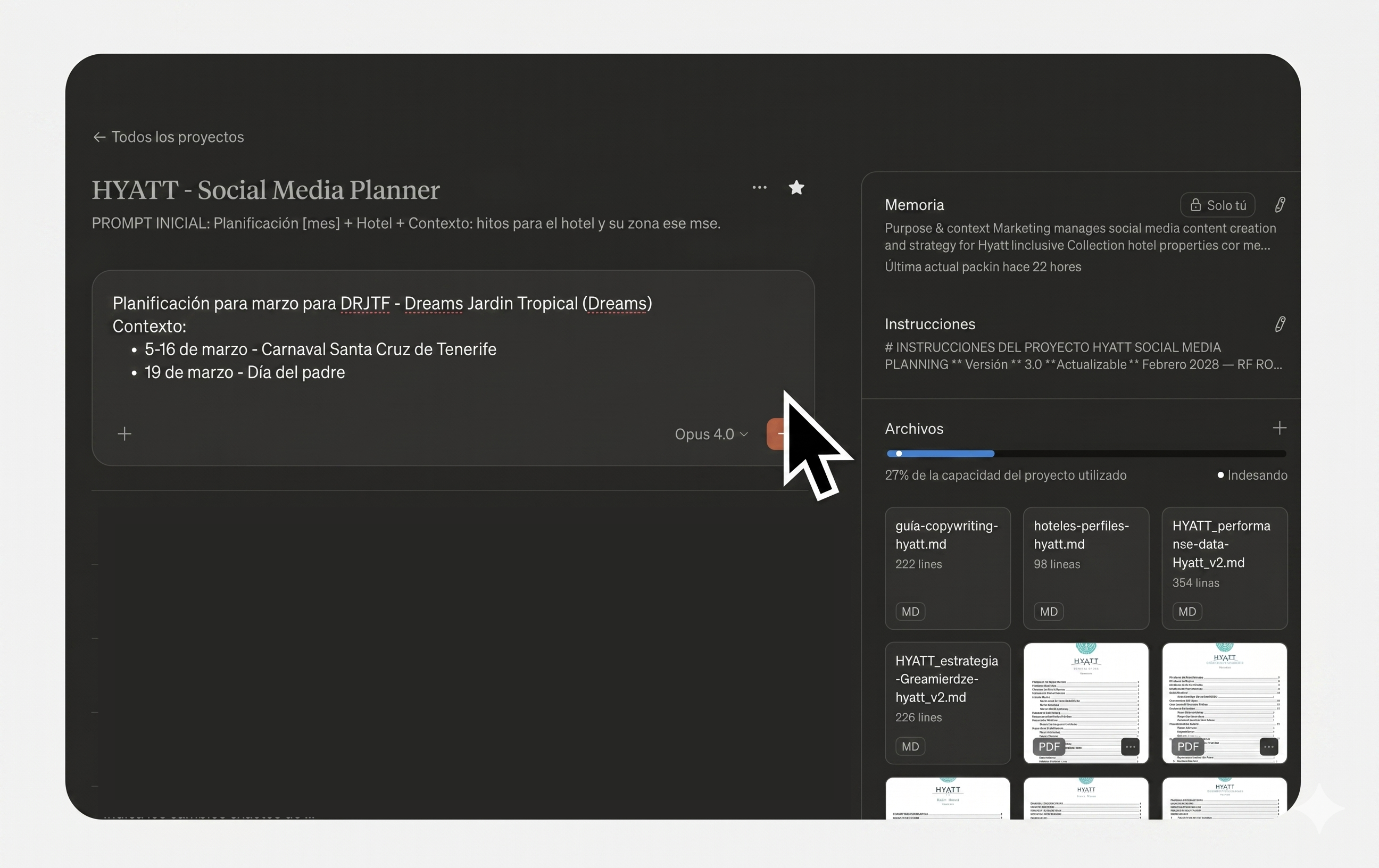
Planning social content for a brand with multiple business units or channels is a task that consumes entire days each month. It involves cross-referencing performance data, respecting the strategic framework, adapting tone per brand, sourcing visual references — and all of that multiplied by every network.
The typical result: social media teams trapped in operational planning that doesn't scale, or generic calendars that fail to use each account's data.
We have built an assistant that generates the monthly editorial calendar structure in three phases:
- Input collection: Gathers the month's inputs (events, key dates, launches) and cross-checks them against client data.
- Grid generation: Creates the post grid with balanced distribution by strategic line, thematic axis, and format — prioritising what drives real engagement per account.
- Full briefs: Develops complete cards with bilingual copy adapted to each brand's tone, visual references, and inspiration accounts.
The key is not just the time saved — it is the knowledge base behind the system. The assistant works with everything accumulated about the client: critical rules, feedback from previous iterations, formats that perform per account, differentiated tone per brand. Each cycle, we make fewer mistakes and the team stops investing days in operations to focus on what truly adds value: creative conceptualisation and the ideas that differentiate the brand.
Case 2: Customer Service Assistant with integrated brand protocols
Managing a community is not about posting and replying. It is about giving the right answer, in the right tone, with accurate information, as quickly as possible.
The typical problem: all that information — response protocols by issue type, product guides, escalation criteria — is scattered across documents the Community Manager has to consult case by case. That translates into wasted time and inconsistent responses between shifts or team members.
At Smartbrand, we have built an assistant trained on all of the client's customer service protocols, organised into dedicated chats per brand or business unit. When a mention or query comes in, the Community Manager asks the assistant directly — it suggests a response tailored to the specific case, in the user's language, with the right brand tone and accurate information. The team validates and publishes.
The result: consistent responses across all channels and shifts, fewer errors, fewer avoidable escalations, and a Community Manager who stops searching through documents to focus on what matters — serving the customer well.
Sales: automatic lead enrichment
Case 3: Predictive lead scoring in under three minutes
Not every lead that comes in through a form is worth the same. But qualifying them manually — looking up the company on LinkedIn, checking the size, the sector, the seniority of the contact — eats up sales time that should be spent closing deals.
The workflow we've built connects the web form to an automatic enrichment process: the AI looks up the lead's company, extracts relevant public information (sector, headcount, approximate revenue, recent activity signals), scores the purchase potential against the client's criteria and assigns the lead to the most appropriate sales rep by profile or region.
The full cycle — from form submission to the sales rep receiving the qualified lead in their inbox — takes less than three minutes. No human intervention.
Operations: the back office that runs itself
This is where AI automation makes the biggest dent in productivity, because these are invisible tasks that add up to a huge number of hours each month.
Case 4: Smart invoices
Invoice management — both outgoing and incoming — is one of those invisible tasks that consumes hours every month, and where a manual data-entry error can have serious consequences.
On the outgoing side: A workflow automatically captures each transaction's data (client, scope, amount, VAT, terms), generates the invoice directly in the client's template, and produces a clean document ready to validate and send.
On the incoming side: The AI uses OCR to read invoices arriving by email, extracts the fiscal data (tax ID, taxable base, VAT, due date), pushes it into the ERP, and flags anomalies: figures that don't balance, duplicate invoices already recorded, line items that don't match the original order.
In both cases, the finance team stops doing manual data entry and moves to reviewing exceptions or approving before sending. Human error drops to virtually zero.
Case 5: From the meeting straight to tasks — no minutes in between
A bot joins Zoom or Teams calls, transcribes the session, identifies the commitments ("who does what, by when"), structures an executive summary and automatically creates the corresponding tasks in the team's project manager (Notion, Asana, Monday or Jira), assigned to the right person with their deadline.
Nobody takes notes. Nobody writes up the minutes. Nobody moves tasks across to the project manager by hand. The meeting ends and the tasks are already created.
How we measure whether any of this works
Rolling out AI because it's on-trend is an expensive mistake. That's why, on every automation project, we measure impact across three concrete axes:
Team hours saved. How many hours of operational work have we eliminated per month? This is the easiest number to calculate and the one that makes the strongest case to the leadership team.
Reduction in time-to-market. How much faster can we launch a campaign, respond to a lead, or close the month's books? In competitive environments, speed is itself a competitive advantage.
Quality uplift. How many manual errors have we eliminated? How many brand inconsistencies? Sustained quality at scale is impossible without automation.
One important caveat: none of these workflows runs in "set and forget" mode. They all have human-in-the-loop supervision at the critical points — validating the response to an unhappy customer, approving a lead before it's contacted, reviewing the exceptions flagged on invoices. AI does the heavy lifting; the final call, when it matters, stays human.
The time to act is now
The difference between companies that will lead their sector and those that fall behind is not whether they use AI — everyone does now. It is whether they have integrated it into real processes with measurable impact, or whether they are still in the "let's try ChatGPT and see what happens" phase.
At Smartbrand, we design and build these workflows from scratch. If your team feels trapped in manual processes that are holding back growth, it is time to make the leap.
Frequently asked questions
How long does it take to get a case like these up and running?
It depends on the complexity, but a working pilot of any of the five cases in this post can be built in 2-4 weeks. What takes the most time isn't the automation itself — it's fine-tuning it with the client's specific data and criteria (brand protocols, scoring rules, typical invoice formats, and so on).
What happens with lead scoring if the lead's company doesn't appear in public sources?
The system flags it as an "unenriched lead" and routes it to a manual review queue. No lead is ever discarded for lack of data — it's passed to the sales rep with a warning so they can make the call themselves. The AI doesn't filter out what it doesn't understand; it escalates it.
Can the AI handle invoices in multiple languages and formats?
Yes. Current OCR + AI models handle invoices in different languages, formats (PDF, scanned image, email attachment) and structures. What does need initial configuration is training the system on the client's regular suppliers so we can tune precision in the first few months.
How reliable are the automatic meeting minutes?
Very reliable for transcription and summarisation. Where we add human supervision is in the automatic task creation: the system proposes the tasks, but there's always a validation step before they enter the project manager. We don't want a joke in a meeting to end up as a task assigned to someone.
How do you guarantee Brand Safety when AI replies to customers?
No response goes out to a customer automatically without human review in sensitive cases. The AI prepares, contextualises and proposes — the Community Manager or agent validates and sends. For routine mentions (thank-yous, FAQs) there can be automated responses, but always within templates approved by the client.
Is your company ready to automate with AI? At Smartbrand we identify the processes with the most room for improvement and build them for you. Let's talk.
